

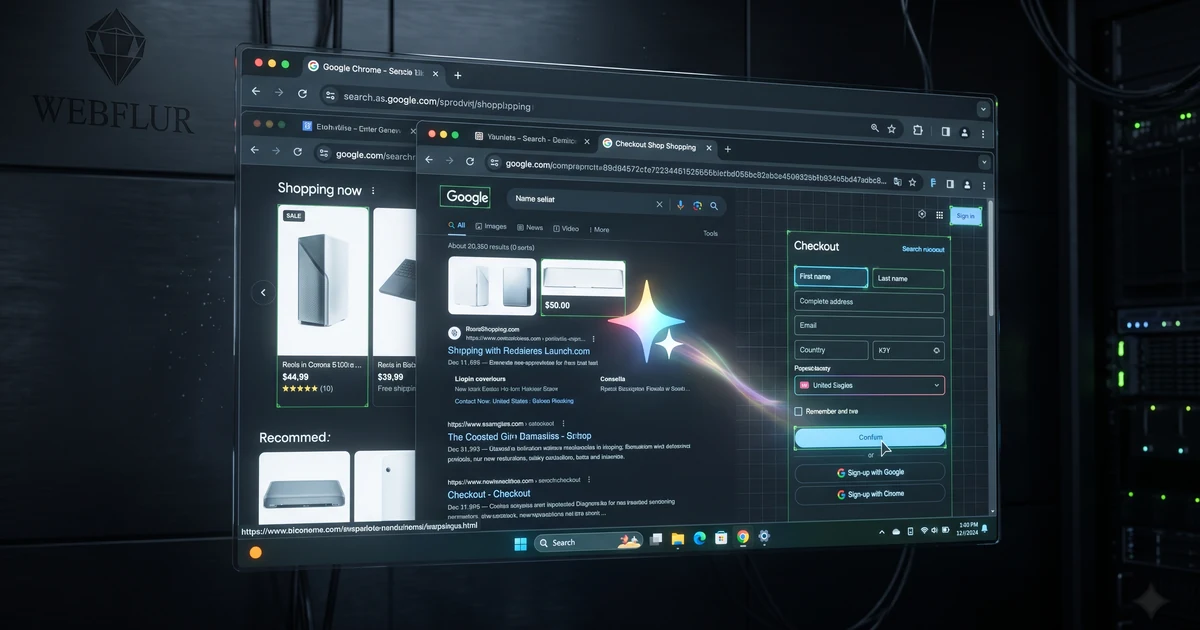
Direct Answer: Google Project Jarvis is an autonomous browser-control agent running natively inside Google Chrome that navigates web pages, fills multi-step forms, compares prices, and completes purchases on behalf of users. In WebFlur technical audits, Jarvis uses Gemini vision models to inspect DOM trees and simulated user inputs, making clean accessibility markup and schema your top defense.
Google Project Jarvis is an autonomous computer-control agent integrated natively into Google Chrome that executes multi-step web tasks on behalf of users. In WebFlur technical audits, Jarvis uses multimodal Gemini models to inspect DOM trees, capture live screenshots, and simulate human clicks, requiring websites to adopt accessible semantic markup and machine-readable checkout flows.
For thirty years, the internet operated on a simple contract: a human opened a browser, navigated to a URL, viewed ads or branding, and manually clicked through links to purchase products or gather information. Project Jarvis officially shatters that paradigm. Instead of you clicking through ten tabs to book a flight or compare industrial machinery, Jarvis clicks the buttons, scrolls past banners, and completes transactions directly on your screen.
This is not a theoretical prototype or a server-side web scraper. Jarvis is an on-glass, client-side autonomous agent living inside the world's most dominant web browser. Here is an architectural teardown of how Project Jarvis operates, how it compares to Anthropic's Computer Use, and what web publishers must do immediately to capture agentic transactions.
Task completion rate for autonomous browser agents on websites featuring semantic HTML landmarks, explicit ARIA attributes, and structured JSON-LD checkout flows—compared to just 19.5% on websites with obfuscated React div soups.
1. The Leak & Architecture: Inside Google Jarvis & Chrome Integration
Project Jarvis embeds Gemini vision models directly into Chrome's rendering engine to interpret web DOMs and execute desktop actions.
According to extensive architectural leaks confirmed across enterprise developer channels, Google is preparing a preview of Project Jarvis powered by an optimized release of Gemini 2.0. Unlike previous headless browser automation libraries like Puppeteer or Selenium that interact with abstract protocol hooks, Jarvis perceives the web visually exactly like a human user.
Jarvis takes continuous high-frequency screenshots of active Chrome tabs, interprets layout hierarchies through vision-language processing, and pairs visual tokens with underlying DOM accessibility trees. When a user prompts: 'Find a direct business-class flight from Delhi to San Francisco under $3,500 departing next Thursday, select an aisle seat, and hold the reservation on my corporate card,' Jarvis executes the full 14-step booking sequence across third-party airline portals autonomously.
As explored in our technical pillar on Technical AI SEO, this flips web optimization from human eye-tracking to autonomous computer-vision readability.
2. How Jarvis Actually Works: Vision-Language DOM Parsing & Simulated Actions
Jarvis cross-references rendered pixels with the DOM tree to calculate precise click coordinates and keyboard inputs.
To understand the SEO implications, engineers must look under the hood. When Jarvis loads a target webpage, it runs a three-tier execution loop:
- Visual Coordinate Mapping: Gemini's vision encoder segments the viewport into functional bounding boxes, identifying buttons, input fields, dropdown selectors, and modal dialogs.
- Accessibility Tree Alignment: Jarvis queries Chrome's internal Chrome DevTools Protocol (CDP) Accessibility tree to verify button roles, ARIA states (e.g.,
aria-expanded='false'), and form field labels. - Action Execution & Verification: The agent dispatches native mouse movements, clicks, and keystrokes. Crucially, after each action, Jarvis takes a verification snapshot to confirm the page transitioned to the expected state before proceeding.
If your website relies on unsemantic <div onclick=...> elements without proper ARIA labels, or hides critical navigation inside canvas elements, Jarvis fails its verification loop and abandons your checkout funnel in favor of an agent-accessible competitor.
3. The Publisher Shockwave: The Death of the Passive Browser Tab
Autonomous browser agents do not view banner ads, trigger third-party tracking pixels, or read affiliate interstitial paragraphs.
For digital publishers, media conglomerates, and affiliate marketers, Project Jarvis represents an existential crisis. When an autonomous agent browses on behalf of a human user, the traditional web monetization model breaks down:
- Ad Impression Evaporation: Jarvis scrolls with mechanical precision straight to the target data point or checkout button. It does not linger on 300x250 sidebar display ads, rendering viewability metrics meaningless.
- Affiliate Bypass: If a user asks Jarvis to 'buy the top-rated ergonomic chair under $600', Jarvis bypasses 10-best affiliate review listicles and directly navigates to the manufacturer or e-commerce store with the most machine-readable technical specs.
- Zero-Click Checkout: The entire concept of human brand affinity is intercepted by the agent's algorithmic product selection rubric.
Publishers must learn how to chunk their technical and commercial assets following our methodology in how to chunk content for AI retrieval.
4. Webmaster Nightmare vs. Opportunity: Building Agent-Friendly Checkout Flows
Websites that welcome autonomous browser agents with friction-free workflows will capture disproportionate transaction volume.
Many webmasters will instinctively react to Project Jarvis by deploying hostile anti-bot CAPTCHAs and aggressive Cloudflare Turnstile barriers. This is a fatal strategic mistake. Blocking Jarvis means blocking the paying customer whose intent the agent is executing.
Forward-thinking enterprises will build 'Agent-Friendly Funnels'. This means exposing clean semantic markup, providing direct guest checkout flows, supporting Web Authn and Google Pay instant verification, and structuring clear, unambiguous pricing tables. When an agent experiences zero friction on your site while choking on a competitor's intrusive cookie popup, your brand wins the sale every single time.
Review our authoritative breakdown on schema types for AI overviews to understand how rich Product and Offer schemas guide autonomous agents to instant purchase confirmations.
5. The SEO Verdict: Why Web Accessibility (a11y) Is Your #1 Agent Defense
Accessibility standards (WCAG 2.2) are no longer just for legal compliance; they are the fundamental training data for browser agents.
The ultimate verdict of the Project Jarvis leak is that Accessibility (a11y) and Technical SEO have merged into a single discipline. Vision-language models rely heavily on the browser accessibility tree to disambiguate interactive elements on complex web pages.
Websites with native semantic HTML (<button>, <form>, <nav>, <table>), explicit form label associations (<label for='email'>), and descriptive button text ('Complete Purchase' rather than an unlabelled SVG icon) will dominate agentic transactions. Pair this with WebFlur's direct machine endpoints (see WebFlur Solutions) to ensure your enterprise remains discoverable and actionable in the autonomous browser era.
7 Steps to Optimize Web Architecture for Autonomous Browser Agents
- Refactor DOM to Strict Semantic HTML5: Replace generic div wrappers with native header, main, section, nav, and article elements across all commercial templates.
- Eliminate Dynamic Modal Focus Traps: Ensure that any modal overlays can be dismissed cleanly via ESC keystrokes or explicit close button triggers.
- Annotate Forms with Standard Autocomplete Tokens: Add autocomplete attributes ('given-name', 'street-address', 'postal-code') to all checkout fields.
- Embed Rich Product and Price Specifications: Provide high-precision Offer and AggregateOffer structured data matching visual on-page pricing.
- Format Product Comparison Matrices in HTML Tables: Structure competitive advantages and feature comparisons into clean HTML tables with thead and tbody markup.
- Simulate Autonomous Visual Agent Navigation: Run visual agent scripts that attempt automated form completion and log where visual encoders stumble.
- Deploy Direct Machine Discovery Endpoints: Host a root-level llms.txt and /.well-known/ agent card to allow agents to bypass browser rendering when possible.
Execution Comparison: Human Browser vs. Headless Scraper vs. Autonomous Chrome Agent (Jarvis)
| Capability / Vector | Human Browsing | Headless Web Scraper (Puppeteer) | Google Project Jarvis (Gemini) |
|---|---|---|---|
| Perception Mode | Biological vision & manual reading | Raw HTML DOM & Network requests | Multimodal screenshots + Chrome a11y tree fusion |
| Action Execution | Physical mouse & keyboard inputs | Pre-programmed CSS selector clicks | Simulated native OS inputs guided by visual intent |
| Error Recovery | Human intuition and trial-and-error | Script throws fatal exception | Self-healing visual reasoning loop and retry logic |
| Monetization Interaction | Views display ads, reads sponsor text | Ignores ads, strips scripts | Mechanically scrolls past ads to target action button |
| Checkout Capability | Manual credit card entry / autofill | Fragile scripted API calls | Autonomous multi-step form execution via user credentials |
| SEO Optimization Target | Visual design, copy, typography | API documentation, raw JSON | Semantic HTML, ARIA landmarks & JSON-LD schemas |
Project Jarvis & Autonomous Browser Preparedness Checklist
- Audit Semantic Form Hierarchy: Replace unsemantic div-based form inputs with native HTML5 form controls with explicit label associations.
- Ensure 100% WCAG 2.2 Interactive Button Compliance: Verify that every interactive button has descriptive text or unambiguous aria-label attributes.
- Eliminate Obstructive Popups for Authenticated Sessions: Ensure newsletter modals and discount overlays do not trap focus or block autonomous viewport interaction.
- Implement Rich Product and Offer JSON-LD: Structure real-time pricing, stock availability, and SKU variations using verified Schema.org markup.
- Expose Raw HTML Specification Tables: Render technical product dimensions, compatibility matrices, and shipping SLAs in semantic HTML tables.
- Test Chrome DevTools Accessibility Tree: Inspect the Chrome a11y tree to confirm all checkout steps are traversable via automated keyboard navigation.
- Configure Machine-Readable A2A Endpoints: Publish an agent-to-agent manifest or OpenAPI specification for background research agents to query directly.
- Monitor Synthetic Browser Completion Rates: Run automated Playwright/Puppeteer user-journey tests simulating autonomous agent purchases weekly.
Verified Sources & Documentation
- Google The Keyword — AI & Technology Updates: Official Google research announcements regarding Gemini multimodal capabilities and Chrome integrations.
- W3C Web Content Accessibility Guidelines (WCAG 2.2): Technical specifications for accessible semantic web markup, ARIA roles, and keyboard navigation.
- Chrome DevTools Accessibility Documentation: Official guide to inspecting Chrome's accessibility tree and node computation.
Prepare Your Digital Infrastructure for Autonomous Browser Agents
Deploy machine-readable architecture and generative engine optimization engineered by WebFlur.